Google Social Analytics - an in-depth review
Value/Importance: [rating=4]
Recommended link: Google Analytics Blog summary
Our review of Google’s new Social Analytics features
 Avinash Kaushik, now Google’s Digital Marketing Evangelist announced this new Google Analytics feature at his keynote at SES New York in March 2012, showing this is a major update that Google want to promote.
August 2012 update
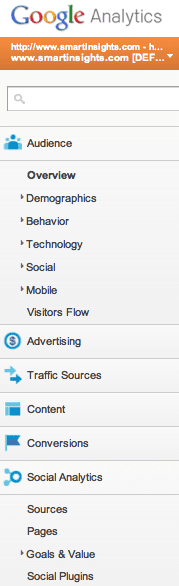
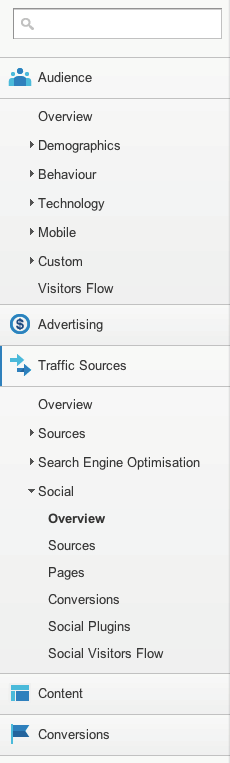
At the time it was part of a beta referred to as "Social Analytics", but it is is now available to all Google Analytics users and as is shown in grab of the menu on the right it's
The majority of the reviews of Social Analytics so far have simply included the screengrabs available from the Google Analytics blog summary, so I thought I would go into a bit more depth and give my view on what’s helpful and what’s not so helpful for marketers in the new update.
I’ve been part of the Social Analytics beta, so now it’s officially announced I can let you know what I’ve found and what I think you need to know… Others who have been on the beta, do let me know what I’ve missed or you disagree with.
1. Social Analytics is available as a main menu option on the left of Google Analytics
You can see where to find it from the first image in this review, it’s under the standard reporting tab.
2. It won’t be available for a “few weeks”
As with most Google Analytics releases, it’s announced and then rolled out. We’ll update this post when it becomes more widely available.
3. No new configuration is needed - the new reports are available “out-of-the-box”
This update offers great convenience, previously you had to setup custom segments and custom reports which I’ve found in training that many don’t have time to do.
That said, much of the reporting in Social Analytics was already available in Google Analytics
If you have Google Analytics configured with advanced segments for social media and you are already grouping social media for example, you may be a bit overwhelmed by what this update offers, since what the update adds is really convenience to group the social metrics together. The contribution of social media to conversion could already be assessed through the assists in multichannel funnels as this campaign tracking tutorial from Pritesh Patel shows:
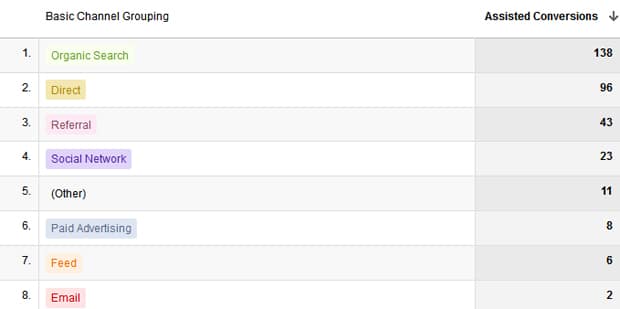
That said, this update will be really useful for this added convenience and additional detail on social sharing it gives….
4. Social Analytics automatically groups the main social referrals
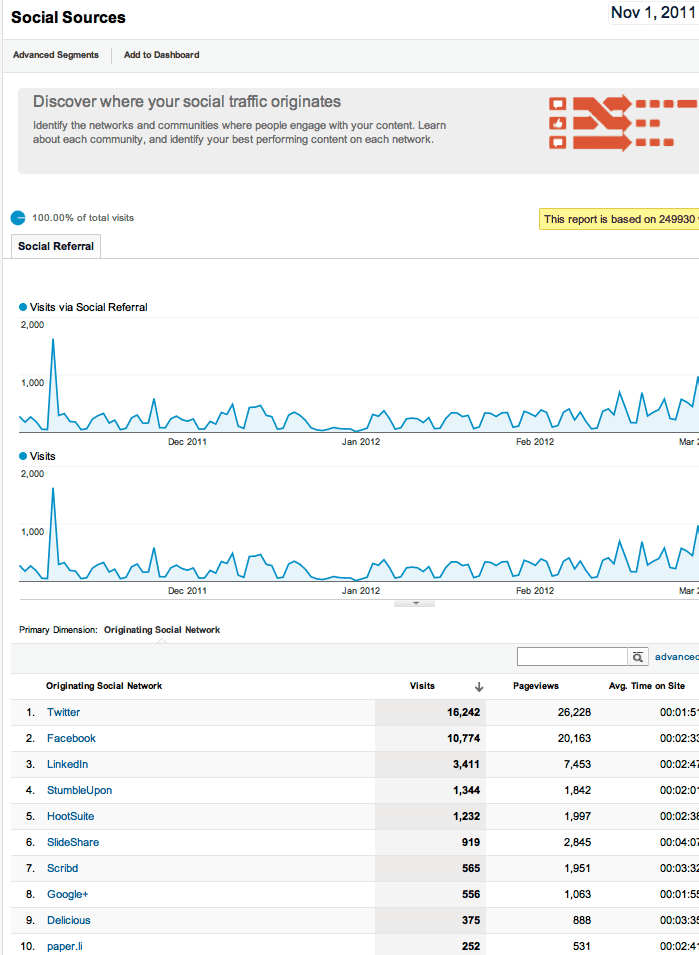
Use the Social Analytics “Sources” option to find the relative importance of visits from the different social networks:
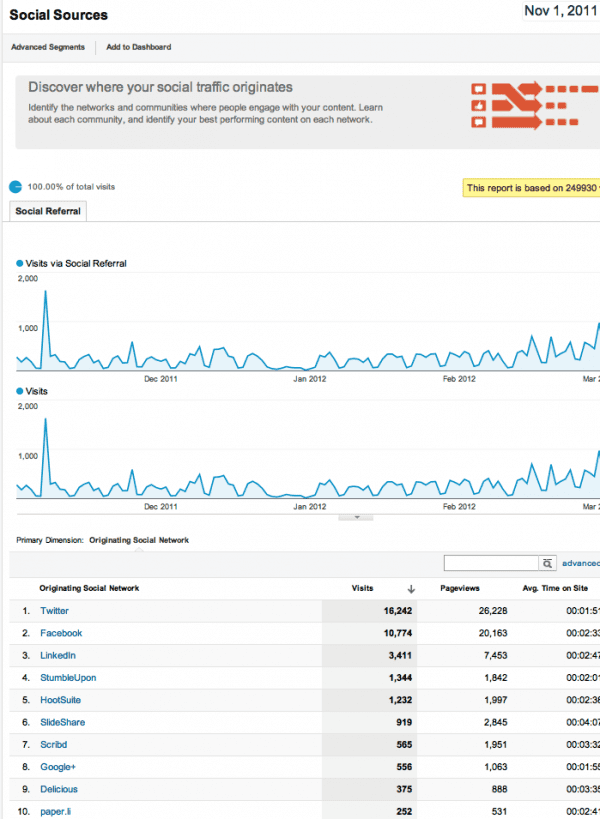
This is great since previously you had to manually setup segments. So you can see the relative importance of different social networks in driving traffic.
5. Niche social networks are included too
As well as the “big 5” social networks you can see other “niche networks” such as Slideshare and Scribd which drive some traffic. Stumbleupon is included, but Pinterest doesn’t seem to be.
6. Care! Only direct referrals from social networks will be shown
The reports only show visits direct from the social network, but not via readers such as Tweetdeck or Hootsuite. As this post from Tim Leighton Boyce on tracking social media visits shows, this could be a major underestimate - Hootsuite tracking tells me these account for c 40% of all social referrals, so even with the new tool there will be an underestimate the impact of social.
7. You can see the most popular shared content
The Social Analytics, Page options shows you the most shared content:
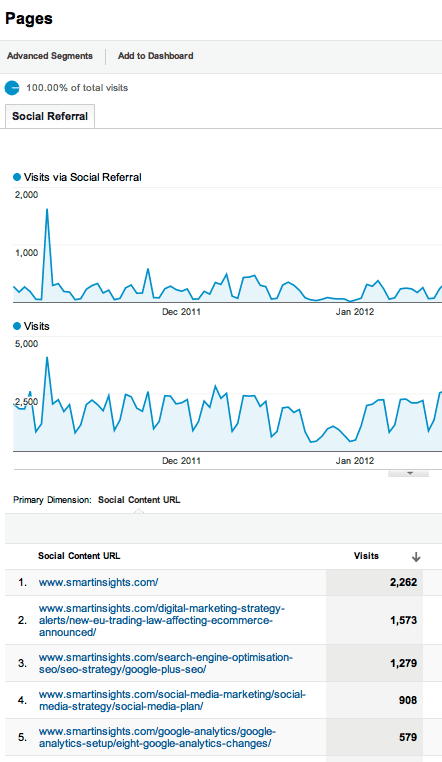
You can see our home page is most popular which we’d aimed for, trying to make it shareable by adding a useful tool there.
8. Goals and value included
With the debate on establishing the ROI of social media, the headline feature is the “social value report:”
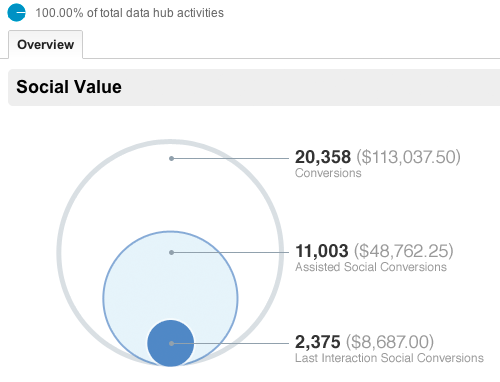
This feature isn’t enabled in our beta version yet. The version to establish value is based on Goal tracking - it doesn’t work with automatically with our Ecommerce tracked conversion for basic and paid members.
As I mentioned in point 3, though, this feature is included through existing Multichannel funnels and Assists report.
9. Social plugins show sharing actions on pages - but may not work correctly?
The Social plugins value shows sharing activity:
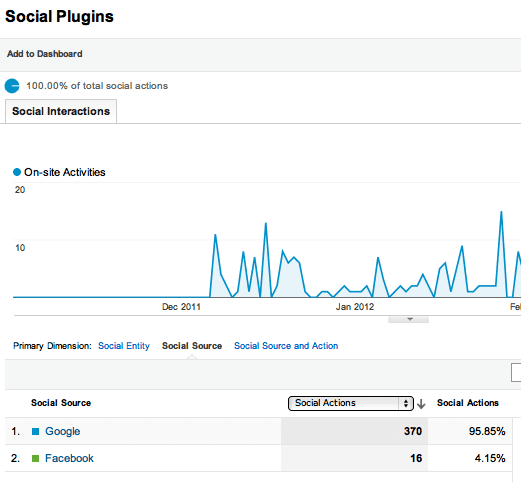 However, this only seems to work for Google+, not working for Facebook or Twitter Like or Send although we are using the native sharing buttons.
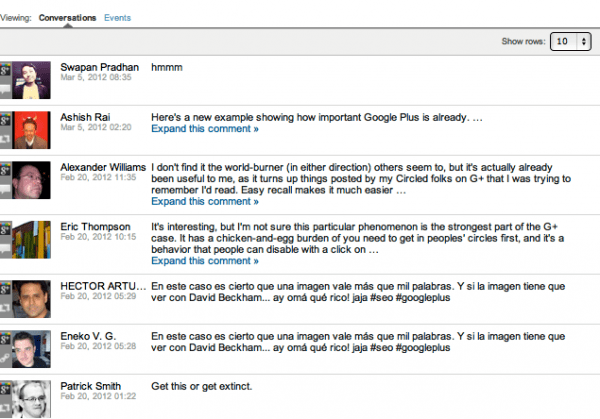
10. Activity stream shows conversations and events
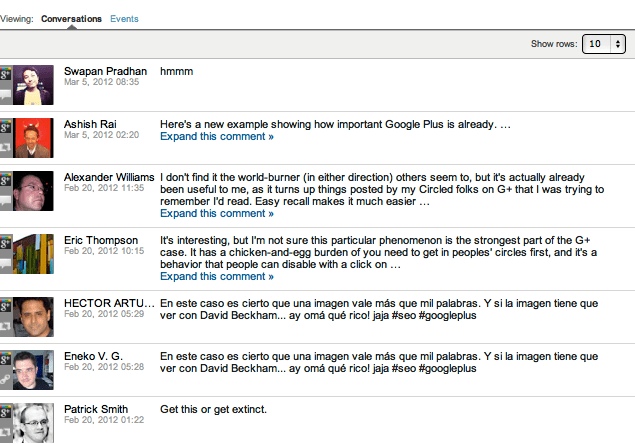
This feature is hidden when you click through on an individual page. I’m not sure it’s of practical value - I’ll continue to use Hootsuite. Interesting to see real people included within Google Analytics though!
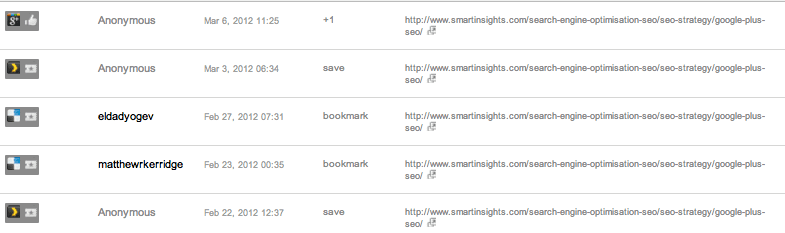
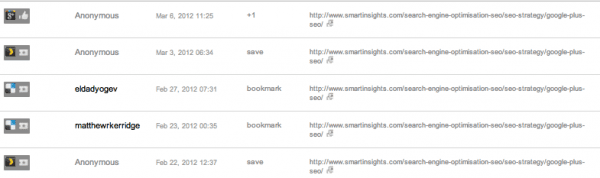
The Event tab is interesting to SEOs in particular since it shows the amount of data Google can collect about individual pages - we’d suspected for a long time that Google recorded Bookmarks and this shows this is the case!
Well that’s about it - I’ve covered all the main options currently available, I hope that’s useful - we’ll update when it becomes available to all.