GA4 content audit gap analysis template
Review content effectiveness by analyzing website visits from Google Analytics 4 against key conversion outcomes
How will this GA4 content audit gap analysis template help me and my business?
This content audit gap analysis template compares website visits from Google Analytics 4 against key conversion outcomes, such as leads and sales between two periods. The aim of the template is to highlight pages that have opportunities to improve visits and leads since they are significant or are an area you want to develop for your brand.
Since organic search remains an important contributor of leads and sales for many businesses, this Google Sheet is set up to show referrals from SEO, so you can see which landing pages drive the most visits and conversions from organic traffic.
This data is not available in Google Search Console, but is a key indicator of the success of your SEO and for granular optimisation, it's essential to know which pages contribute to leads and sales.
It is built as a Google Sheet to make it easy for you to make a copy and customize for your brand, or client's brands. Choose File, 'Make a Copy' to do this.
On the 'ReadMe' tab on the first sheet, we list detailed instructions of how to get your own version set up. It uses the free plugin Magic Tools - see instructions for how to install and run in Google Sheets. This is explained further within the template.
Who is this template for?
This template will be useful for:
- Anyone responsible for monitoring the effectiveness of site content, such as SEO specialists or Content marketing managers
- Web data analysts or specialists
- Agencies or consultants wanting to produce reports for their clients
- Marketing managers looking to understand how key pages are performing across business areas
How is this template structured?
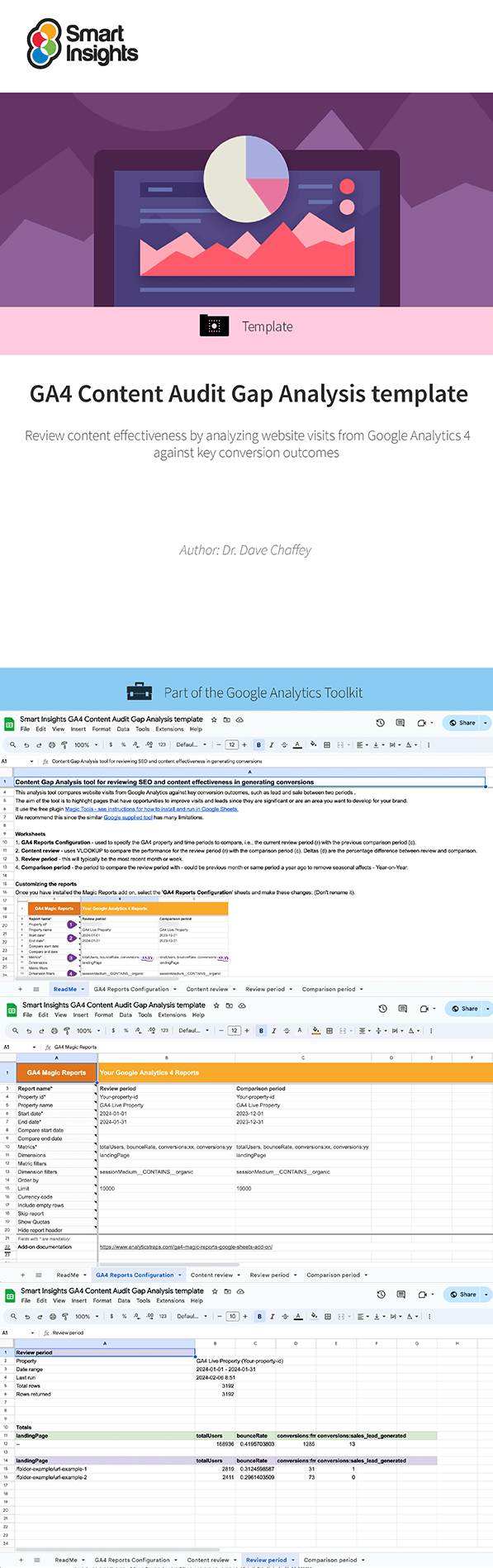
The template is built as a Google Sheet to make it easy for you to copy and customize for your business and integrate with your GA4 account, using the free plugin Magic Tools.
- The first ‘ReadMe’ tab contains advice and detailed instructions on how to copy the template and set it up for your business.
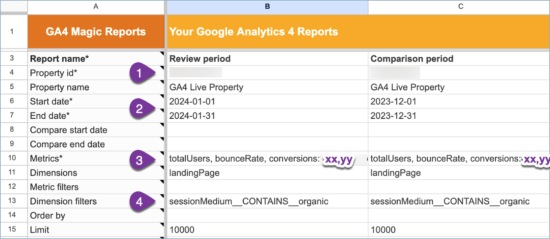
- The GA4 Reports Configuration tab is where you sync your details to make sure you are monitoring the right information for your business
- Then the final three tabs are designed to help you analyze your pages: Content, Review and Comparison period reports.
Resource Details
- Author: Dr. Dave Chaffey
- Format: Google Sheet template which you can make a copy of to pull GA4 reports for your business. It uses the free plugin Magic Tools.
- Related resources: Google SERPs Analyzer dashboard and SEO gap analysis Excel spreadsheet
About the author
Dr. Dave Chaffey
 Dr. Dave Chaffey is co-founder of Smart Insights and is a renowned digital marketing expert and speaker. He is author of 5 bestselling books on e-commerce including Digital Marketing: Strategy, Implementation and Practice and was recognized by the Chartered Institute of Marketing in 2004 as one of 50 marketing ‘gurus’ worldwide who have helped shape the future of marketing.
 Paid membership is required
Access this resource now
You can purchase this individually or as part of a toolkit.
See this resource on our store Already own this?Login here