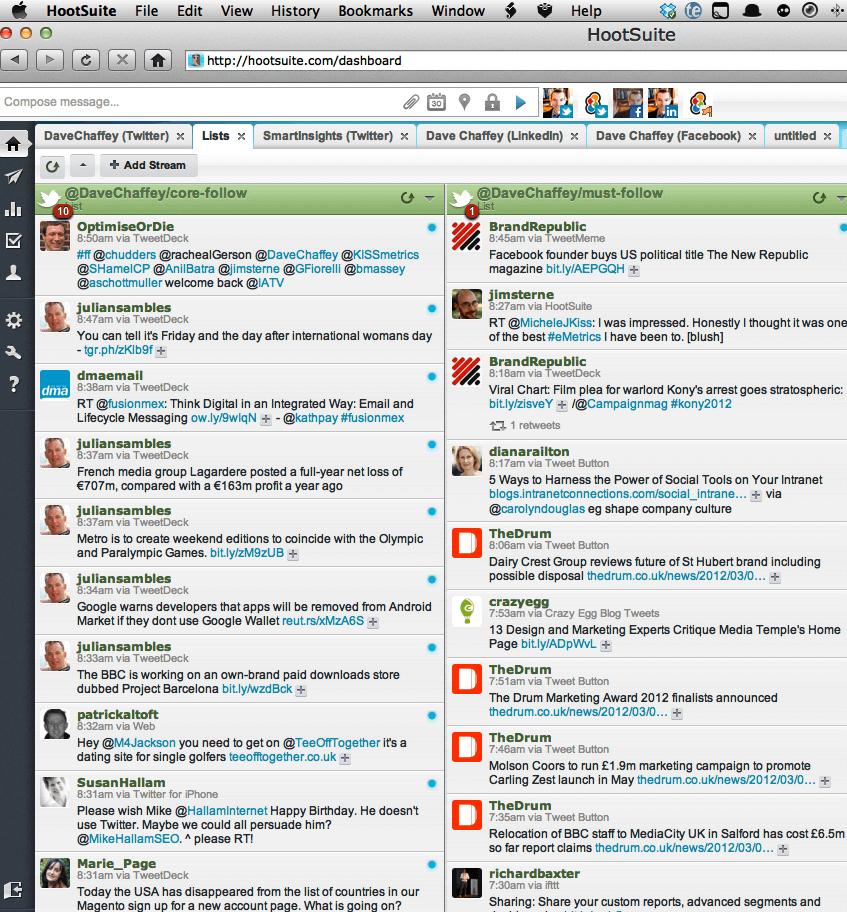
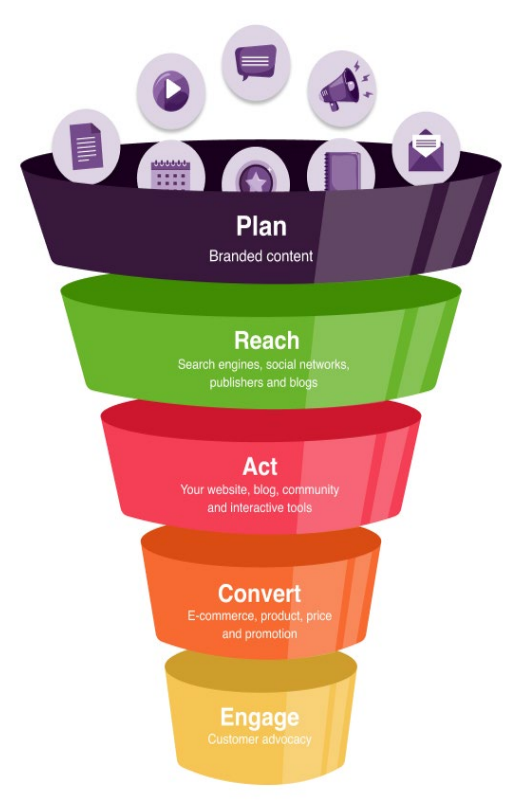
Five types of tools and techniques to keep up with the socialsphere
I think you'd agree that trying to stay informed and up-to-date with the latest developments in digital and social media marketing is a bit of a challenge? The scale of this challenge was brought home to me by these 60 seconds in social media infographics.
This is a particular challenge for me since I'm keen to keep my books up-to-date and deliver the most relevant info via SmartInsight to our Enewsletter, Facebook and Twitter subscribers. So I need to scan a lot of sources across the whole of digital marketing, as many non-specialist marketers/digital marketers do, but then find the most important ones - this is where software can help. So in this post I thought I'd share a couple of the approaches and tools I use.
It's not at all sophisticated really, so do let me know about how filter the good stuff!
1. Twitter, Twitter lists and Hootsuite
I personally use Twitter as my main way to keep up-to-date since it's the most personal and engaging as I sit in my office. It's probably not the most efficient compared to my second and third approaches, but it's what I enjoy.
I try to prioritise reading updates from 50-100 people or media sites covering each area of digital marketing like search, social, email marketing, etc. I call these lists "core follow" and "must-follow" for want of a better name.
I have posted before on the most useful marketing people to follow on Twitter. As this post explains you can use Twitter user directory Wefollow to find the most influential = useful in each sector if you don't know them.
To view these lists in a manageable way Twitter doesn't cut it, so I use Hootsuite to view core groups. I've used Tweetdeck in the past, but prefer Hootsuite and others tell me that since its acquisition by Twitter, Tweetdeck doesn't support LinkedIn and Facebook. You can see that Hootsuite does support these, but unfortunately it doesn't support Google+ updates yet, although it should be coming since it's in the corporate version.
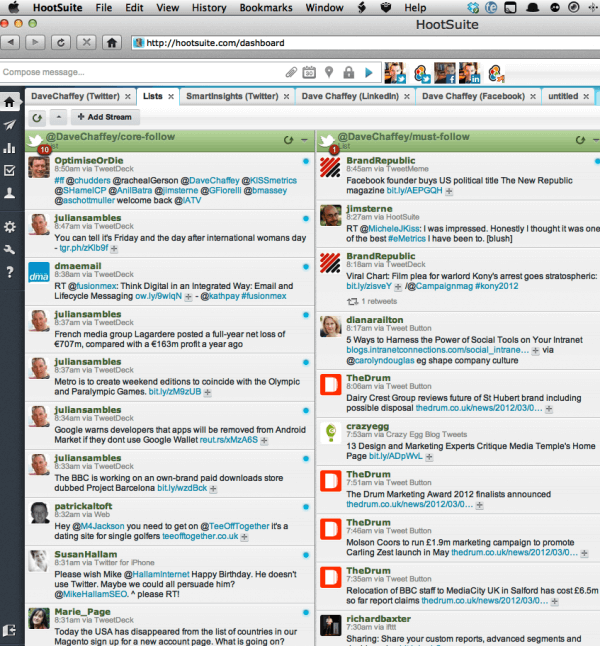
Since I follow a fair few people to allow folks to direct message me, I focus my attention on private lists I've set up of around 150 people - "core follow" where I must see all the updates and "must follow" for ones I'll also scan when I have time.
I have never found any of the services that show the most popular tweets each day very useful since they're not in the right categories for me.
2. Google Reader
Many of you will know Google Reader which uses feeds from different sites to update you about new articles.The secret here is to identify the top sites in each category and then group them into folders which you can prioritise too. I only tend to look at Google Reader a couple of times a week for sites I don't get updates via Twitter from, I should use it more, but as I've said I find Twitter works for me. I also take some of the main feeds from the Google blogs direct into my Apple Mail so I can see about them straightaway.
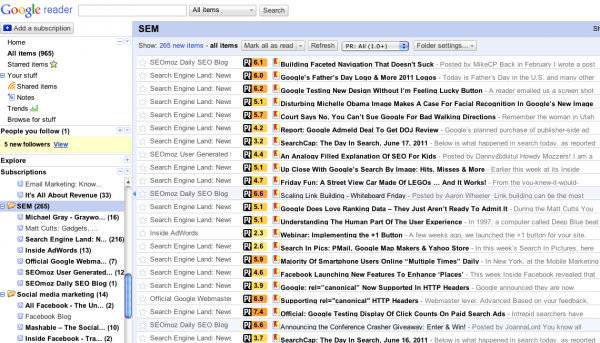
But I will be using Google Reader more since I have discovered I can overlay PostRank scores out of 10 - which are REALLY useful - more on these in the next section.
3. PostRank
PostRank is the tool I really wanted to alert you to in the post because it's not discussed so much yet it has an excellent way of finding the most popular, most useful content in your Google Reader AND finding out your most popular,useful content if you run a WordPress blog which many do. I've used Postrank for 2+ years now - first for our content. If you install the PostRank WordPress plug-in it will show you the most popular posts scored out of 10 and this is the clever bit based on the number of shares/views in Facebook, Twitter and RSS readers - see the right of this screen:
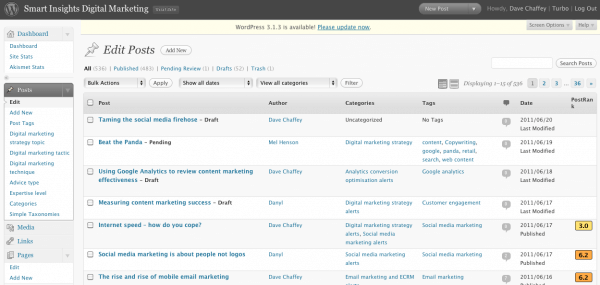
Postrank is so clever Google recently acquired the company - interesting since I've always thought Google scores posts on an aggregated social sharing/popularity metric in a similar way. Postank used to show the actual numbers of shares and you could search individual sites which was handy for popular sites, but doesn't any longer, probably due to the takeover.
The other PostRank tool which I find useful is a plug-in for Google Reader in Chrome which shows the most popular posts in Google Reader - see screengrab above. Thanks to Rhodri Lloyd, our intern who uses this plugin to manage our Twitter alerts for flagging this up to me!
4. Linked In Today
This only launched in 2011 and I find it an effective way of finding out about major announcements or really useful content that is widely shared. It does this really well, the only limitation is that it draws from a restricted range of sites like Mashable, Social Media Examiner and SearchEngineLand, but they're good at covering the major announcements. So it's not so good on practical hints or strategy posts since they don't tend to cover these types of articles as well as some specialist sites. If you don't know it check out the Advertising and Marketing section.
5. News aggregator services
These work in a similar way to LinkedIn Today, but more based around your network so are of closer relevance. I use:
- Summify - Recently bought by Twitter - so expect to see this intelligence in Twitter soon. This sends DM alerts into Twitter based on what your friends are sharing - I have it set for 5 times a day - you can get them sent to email if you prefer.
- News.me - A similar idea to Summify - I get one email a day - I prefer Summify though.
- Flipboard - A similar idea for iPad owners - I know folks who swear by it, it looks beautiful, but not quite scannable enough for me
So that's how I try to cope! What about you? Which approaches work best for you?